




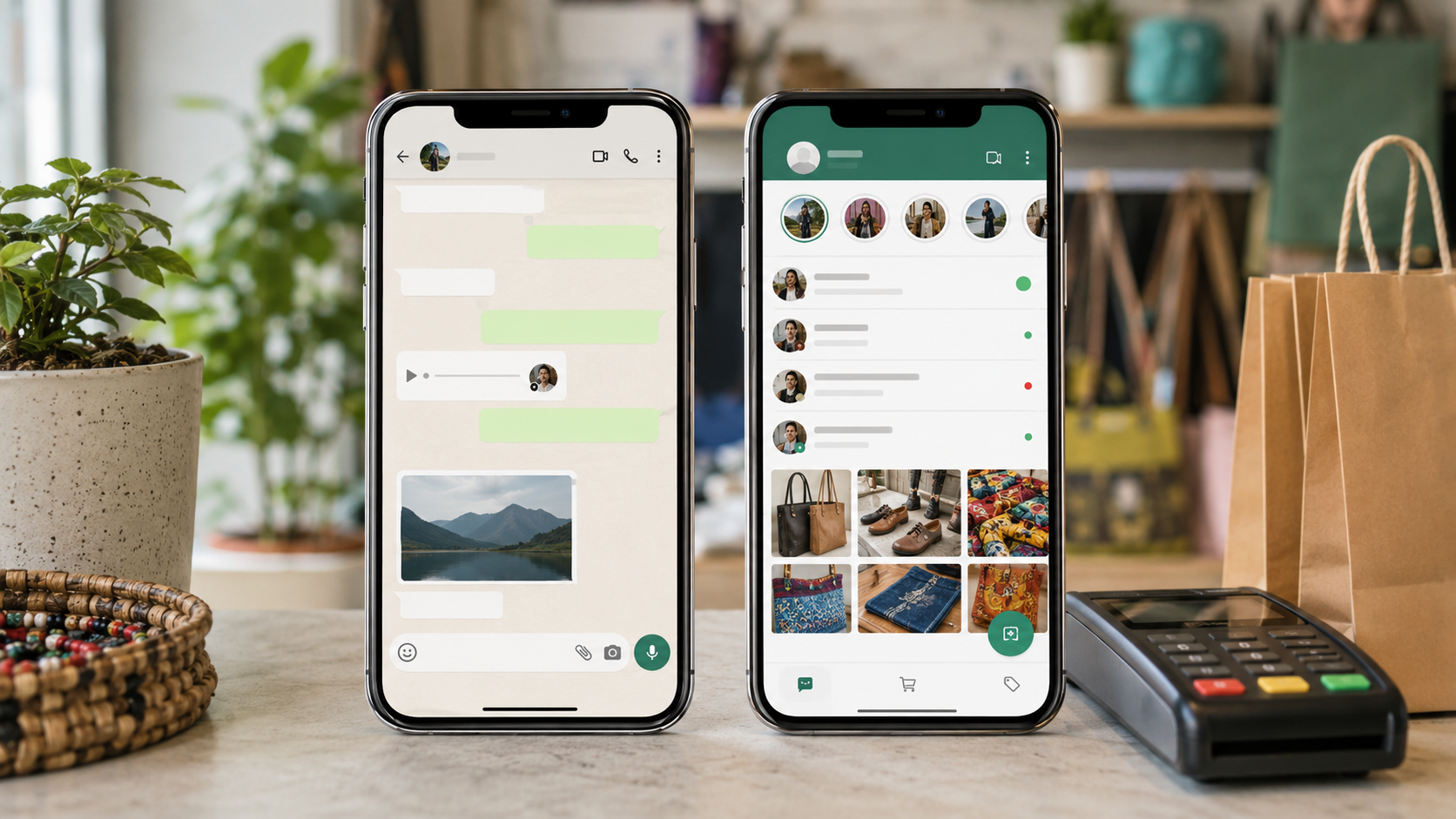
A side-by-side comparison of WhatsApp Business and WhatsApp Messenger, and why the free business app is the right starting point for every Kenyan SME.
PART OF THE GADGETPACK WHATSAPP SERIES
This article is part of GadgetPack's complete guide, “How Small Businesses in Kenya Can Use WhatsApp to Drive Sales.”
Read the complete guide: How Small Businesses in Kenya Can Use WhatsApp to Drive Sales
Related: How to Set Up WhatsApp Business in Kenya (Step by Step)
Related: WhatsApp Business API in Kenya: Do You Need It?
What Is WhatsApp Business, Exactly?
WhatsApp Business is a free, separate app from Meta, built specifically for small and medium businesses. It looks and feels like regular WhatsApp, but underneath it carries a set of commerce tools that the personal app simply does not have: a product catalogue, a Business Profile, automated greetings, saved Quick Replies, and chat Labels for tracking orders.
This distinction matters more than it might seem. A large share of Kenyan entrepreneurs still run their sales entirely from a personal WhatsApp number, the same one they use to chat with family. It works, until the business grows past a handful of daily conversations, at which point the lack of structure starts costing sales: forgotten follow-ups, retyped product lists, and orders that quietly fall through the cracks.
✦ KEY INSIGHT: Why this decision comes first
Every other WhatsApp selling strategy, catalogues, broadcast lists, automation, ads, assumes you are already on WhatsApp Business. Getting this foundation right is the single highest-leverage 15 minutes you can spend on your WhatsApp sales setup.
WhatsApp Business vs. Regular WhatsApp: Full Comparison
| Feature | WhatsApp Business (App) | Regular WhatsApp Messenger |
| Purpose | Built for small businesses to sell and support customers | Built for personal, social conversations |
| Business Profile | Yes: address, hours, website, category, description | Not available |
| Product Catalogue | Yes: unlimited product listings with photos and prices | Not available |
| Automated Greetings & Away Messages | Yes, built in and free | Not available |
| Quick Replies | Yes: saved answers to common questions | Not available |
| Labels for organising chats | Yes: e.g. New Order, Paid, Pending, VIP | Not available |
| Business Analytics | Basic stats: messages sent, delivered, read | Not available |
| Two devices, same number | Supported (phone + WhatsApp Web/linked device) | Supported |
| Broadcast Lists | Yes, higher limits than personal app in most markets | Yes, but not designed for marketing use |
| Best suited for | Any registered or informal business selling products or services | Personal use only; using it for business breaks WhatsApp's own terms for commercial activity |
Why Running a Business on Personal WhatsApp Is a Mistake
Beyond missing out on useful tools, using a personal number for business creates three concrete problems.
1. No separation between personal life and the business
Customers, suppliers, and family end up in the same chat list. It looks unprofessional the moment a customer scrolls past a personal photo or unrelated group chat while looking for your last message, and it makes it hard to switch off from work.
2. No way to scale past a handful of daily conversations
Without a catalogue, every product enquiry means retyping the same description and price. Without Labels, tracking who has paid and who is still owed a delivery relies entirely on memory or scrolling back through chat history.
3. It technically breaches WhatsApp's own terms
WhatsApp's terms of service distinguish between personal and commercial use. Businesses that use the standard consumer app for regular commercial messaging, particularly bulk or automated messaging, risk having the number flagged or restricted.
How to Switch from Personal WhatsApp to WhatsApp Business
The good news: switching costs nothing and takes under an hour.
- Get a second number if possible. A dedicated business SIM keeps personal and business chats fully separate. If that is not practical, WhatsApp Business can also run on your existing number, but it cannot run alongside regular WhatsApp on the same number and device at the same time.
- Download WhatsApp Business from the Google Play Store or Apple App Store, free.
- Migrate your chat history if you are switching an existing number; WhatsApp offers an in-app option to carry over conversations during setup.
- Tell your customers. A short broadcast or Status update letting regular customers know about the new number, if you are changing it, prevents lost contacts.
For the full walkthrough, from installing the app to configuring your catalogue, Quick Replies, and security settings, see GadgetPack's companion guide, “How to Set Up WhatsApp Business in Kenya (Step by Step).”
When WhatsApp Business Isn't Enough: The API
The free WhatsApp Business app has real limits: it is designed for one person or a very small team managing one device, with basic automation. Businesses handling high message volumes, running multiple support agents from one number, or wanting chatbot automation eventually need the WhatsApp Business Platform, commonly called the API.
This is a separate, paid product accessed through an authorised Meta Business Solution Provider rather than a downloadable app. GadgetPack covers exactly who needs it, and why, in “WhatsApp Business API in Kenya: Do You Need It?”
Frequently Asked Questions
Is WhatsApp Business really free?
Yes. Downloading and using the WhatsApp Business app costs nothing. You only pay if you later adopt the WhatsApp Business API or run paid Click-to-WhatsApp ads.
Can I keep my current phone number?
Yes, WhatsApp Business can be installed using your existing number. Just note it cannot run side-by-side with regular WhatsApp on the same number and device simultaneously.
Will I lose my old chat history when I switch?
No. WhatsApp provides an in-app chat migration option when you install WhatsApp Business on a number that previously used regular WhatsApp.
Can two staff members use WhatsApp Business at once?
The free app supports one primary device plus linked companion devices (like WhatsApp Web), but true multi-agent support with separate logins requires the WhatsApp Business API.
Does WhatsApp Business cost more to message customers?
No, standard messaging within the free app works the same as regular WhatsApp. Costs only apply to API-based messaging at scale or to paid advertising.
The Bottom Line
If your business sends or receives even a handful of customer messages a week, the free WhatsApp Business app is worth switching to immediately. It costs nothing, takes under an hour to set up, and unlocks the catalogue, automation, and organisation tools that make WhatsApp an actual sales channel rather than just a chat app.
